Show IH: How I built a daily podcast from my favorite subreddit?
For some time now, I really wanted to listen to the r/SaaS subreddit posts while doing chores like cooking or doing the dishes.
I finally got around to build an audio version of r/SaaS top daily posts and launched it on Apple podcasts and Spotify.
In this post I breakdown the different tools I used to create the podcast show:
PRAW to fetch the Reddit posts with Python
Google Text-to-Speech to convert Reddit posts to audio
Transistor to host and publish the podcast
Render to run my Python code once a day
Canva to create the artwork for the podcast
PRAW: The Python Reddit API Wrapper
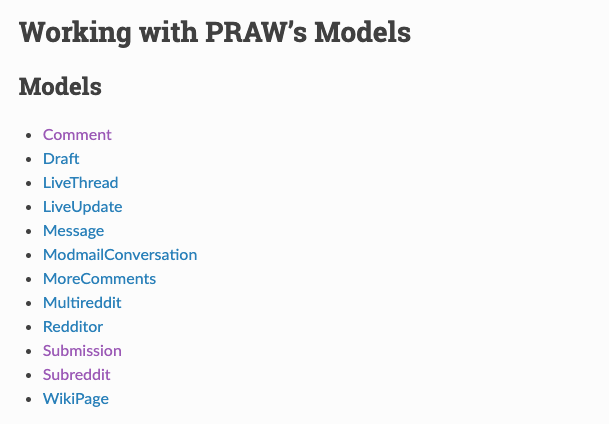
PRAW makes it super easy to access Reddit's data. The Subreddit model provides access to all the subreddit's posts. The Submission model contains the post details and a list of comments which are represented by the Comment model.
Google Text-to-Speech
Google has fantastic text-to-speech technology. You have probably experienced it already on Google Assistant or Google Translate.
It is easily available via their cloud API. In 2016, they have added Wavenet voices, which sound more natural.
When reading out the the post comments, I thought it would be cool to rotate between different voices.
So I picked 4 Wavenet voices that I liked. When reading out the comments I randomly rotated between these 4 voices.

Transistor: Podcast publishing platform
I wanted the creation of the podcast to be 100% automated, so I looked for a Podcast hosting platform that has an API.
Transistor has an awesome API with really good documentation. For example, creating a new episode from an audio file, is just one call.

Another huge benefit of using them is that they help you distribute the podcast to all the major podcast players such as Spotify or Apple podcasts with just a couple of clicks.

Because I am not earning anything from this podcast, I initially hesitated to spend 20$ per month to use Transistor. Now that I have tried it, it was well worth my time.
Render: Cloud hosting
In the past, I have always used AWS for hosting my code in the cloud. AWS is an amazing platform with lots of options, but it is also a little time consuming to setup.
After a little research, I ended up using Render. It tooks me 5 mins to setup a cron job on Render to run my python code periodically.

The cool thing about Render is that it fetches any changes to my Github repository, and updates the cron job automatically.
Bonus: Using Canva to create the podcast artwork
To publish the podcast and submit it to major podcast players such as Spotify or Apple podcasts, I had to create a cover image for the podcast.
I used Canva quite a bit in the past, mainly to create blog post cover images. When I searched for "Podcast" templates on Canva, I liked the first result, so went for it without thinking too much.

After a little bit of editing, my podcast cover image was ready and I could publish using Transistor.
I have also created a short video explaining how I built it:

It was a really fun side project, let me know if you have any questions or feedback!
